
A control plane, not another agent abstraction
Keep using MAF’s AIAgent, AgentSession, ChatMessage, and AIFunction.
AgentPrism adds the operational layer around them without replacing their model.
You wrote an agent with the Microsoft Agent Framework and it works. Now someone has to operate it: find out what it did last Tuesday, stop it spending without a limit, test it without calling a model, and let a second team drive it over HTTP. That layer is what AgentPrism is.
A control plane, not another agent abstraction
Keep using MAF’s AIAgent, AgentSession, ChatMessage, and AIFunction.
AgentPrism adds the operational layer around them without replacing their model.
Evidence for every important decision
Default-on runs capture events, tool calls, traces, tokens, cost, errors, and child-agent trees. Store failure never gets permission to stop product work.
From empty folder to production topology
Start in memory. Add PostgreSQL, SQL Server, or SQLite; workers, scheduling, health, OpenTelemetry, quotas, retention, and tenant isolation when you need them.
One agent, every useful surface
Call it from .NET, the management API, OpenAI Responses or Chat Completions. Publish selected agents as MCP tools or A2A endpoints with explicit budgets.
var builder = WebApplication.CreateBuilder(args);
var agentPrism = builder.AddAgentPrism()  .UseOpenAI(builder.Configuration.GetSection(OpenAIProviderOptions.SectionName))  .UseUI();
agentPrism.AddAgent(new AgentDefinition{  Name = "support",  Instructions = "Resolve customer issues clearly and safely.",  Model = new ModelBinding  {      Provider = OpenAIProviderNames.ChatCompletions,      Model = "your-model"  }});
var app = builder.Build();
app.MapAgentPrism("/agentprism");app.Run();
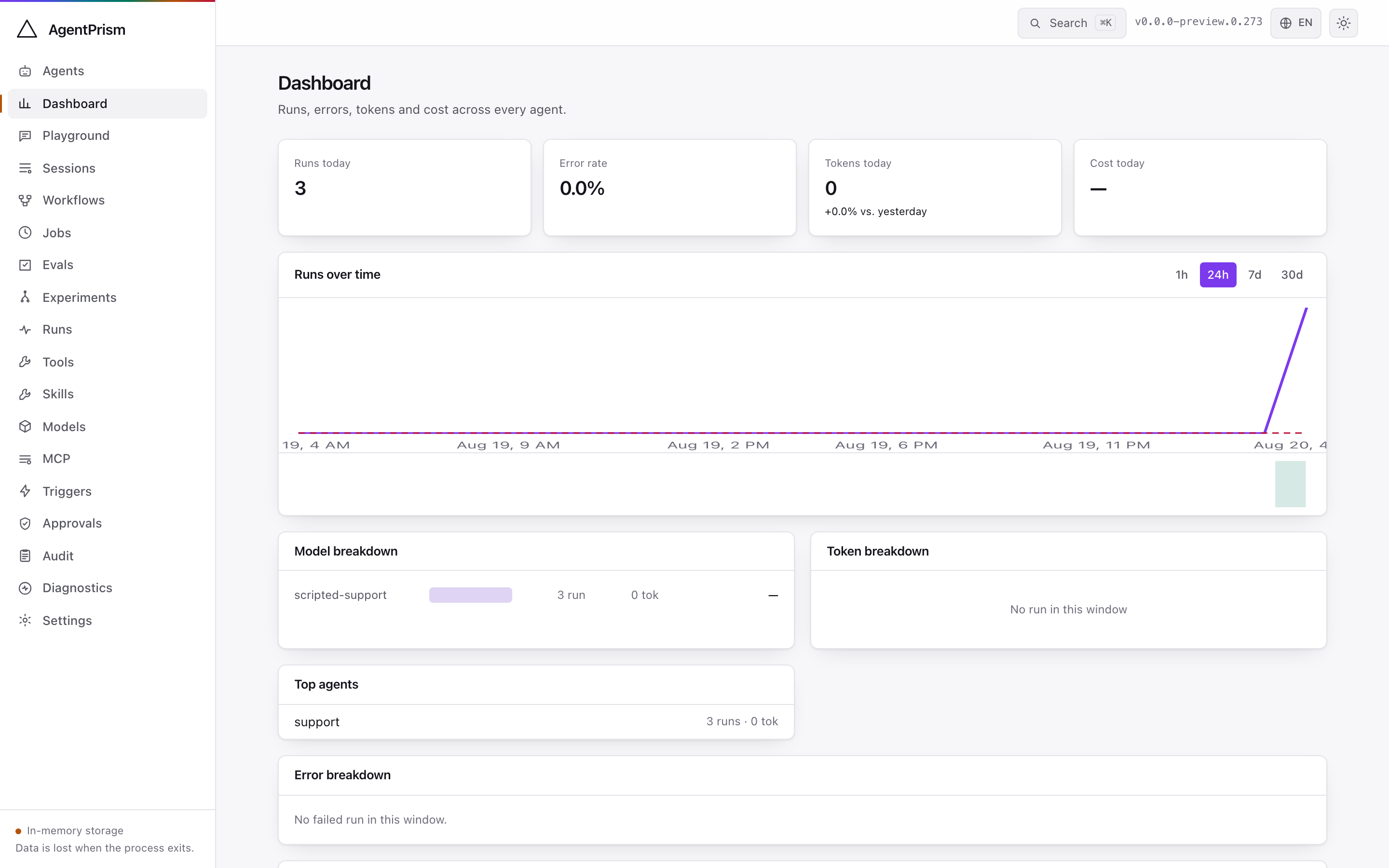
Run it and open /agentprism. Create an agent, talk to it in the playground, then
open the run and read it back event by event.
flowchart LR
    accTitle: From an agent definition to a run you can read back
    accDescr: An agent definition is data in the catalog. Any caller — your code, the HTTP API, an OpenAI-compatible client, the console, a schedule, or a workflow — resolves it and starts a run. Recording is on by default, so the run leaves an ordered event stream with tokens, cost, tool calls, and traces that the console and your tests both read.
    DEF["Agent definition<br/>model · instructions · tools · skills"] --> CAT[("Catalog<br/>versioned, with rollback")]
    CALL["Your code · HTTP API<br/>OpenAI clients · console<br/>schedules · workflows"] --> CAT
    CAT --> RUN["Run"]
    RUN --> REC[("Run record<br/>events · tokens · cost<br/>tool calls · traces")]
    REC --> READ["Console · replay · assertions<br/>OpenTelemetry export"]
Build an agent
Go from install to a real provider, a code-defined tool, persistence, and a deterministic test. Start the five-minute guide.
Integrate an existing client
Use OpenAI Responses or Chat Completions, manage agents over HTTP, or publish a selected agent through MCP or A2A. Choose a surface.
Operate the platform
Design storage, migrations, workers, health, telemetry, security, quotas, retention, and recovery. Use the production guide.
Evaluate the fit
See every feature, its package and surface, its default state, and its production boundary. Open the capability map.
It is a library, not a hosted service. It runs inside your ASP.NET
Core process, on your configuration, your authentication, and your database. There
is no account and no telemetry leaves your process. Four rules hold everywhere:
AddAgentPrism() works with no infrastructure, tools are defined in code
and never in the console, MAF objects are passed through rather than wrapped, and
every extension point registers with TryAdd so your own implementation
wins. What AgentPrism is explains each.